Get AI Coworker in 3 steps
About three minutes. Free: the chat view, voice notes and 3 AI tasks. Each step ticks by itself when it is done.
Using Basecamp? Start now, with nothing to install
1. Create your free account (step 2 below). 2. Connect Basecamp here and switch on a project. 3. Write @AI Coworker in any comment there: the answer appears in the thread in about 20 seconds, with every browser closed. Add the extension later for the fast chat view.
-
1
Add the extension to your browser
✓ InstalledWorks in Chrome, Edge, Brave and Arc on a computer. It is not in the Chrome Web Store yet, so you add it yourself in developer mode. It takes a minute, and you can remove it any time.
- Unzip the file you downloaded (double-click it). You get a folder named
ai-coworker. Keep it: the browser loads the extension from it. - Open a new tab, paste this address and press Enter:
chrome://extensions(Web pages cannot open this address for you, so paste it yourself.) - Turn on Developer mode at the top right.
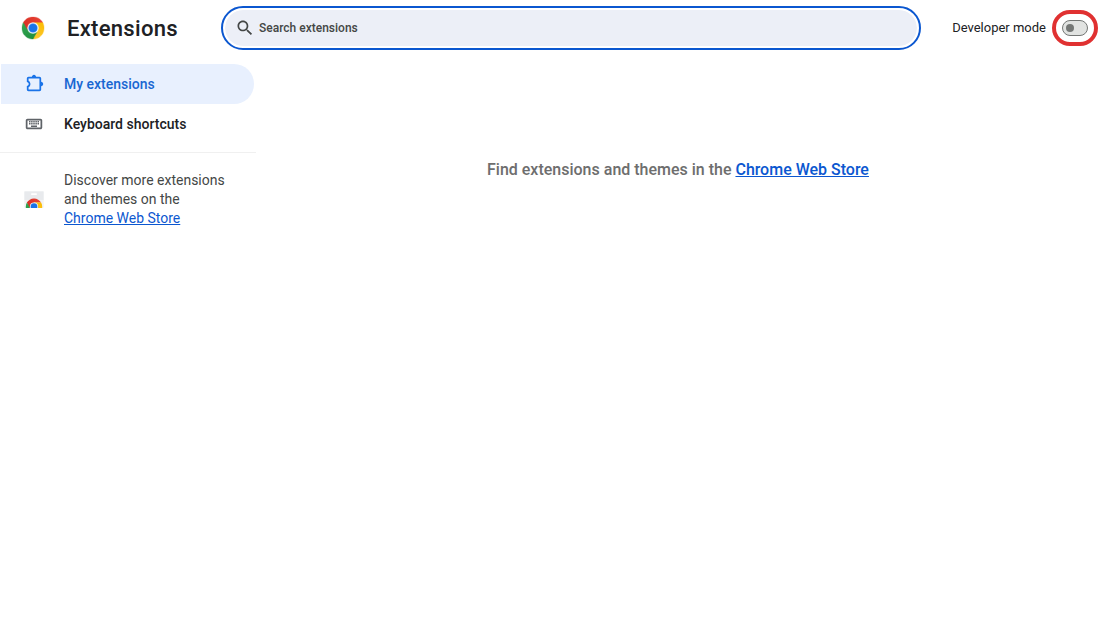
- Click Load unpacked and choose the
ai-coworkerfolder.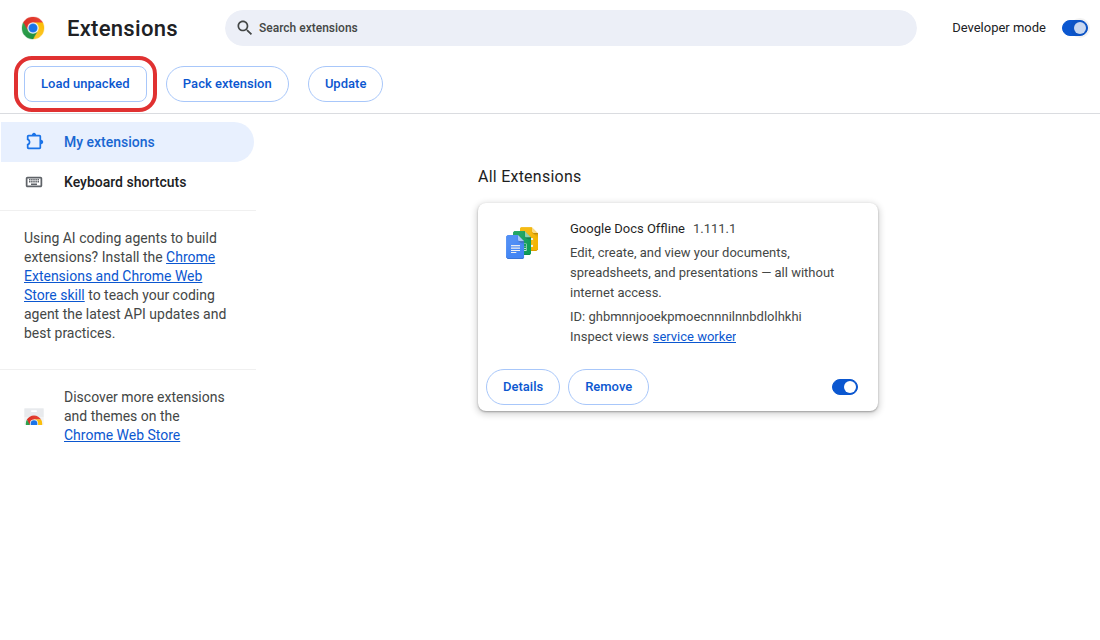
- AI Coworker appears in the list, and it opens step 2 in a new tab by itself. Optional: click the puzzle piece next to the address bar and pin ✦ AI Coworker so its icon stays visible.
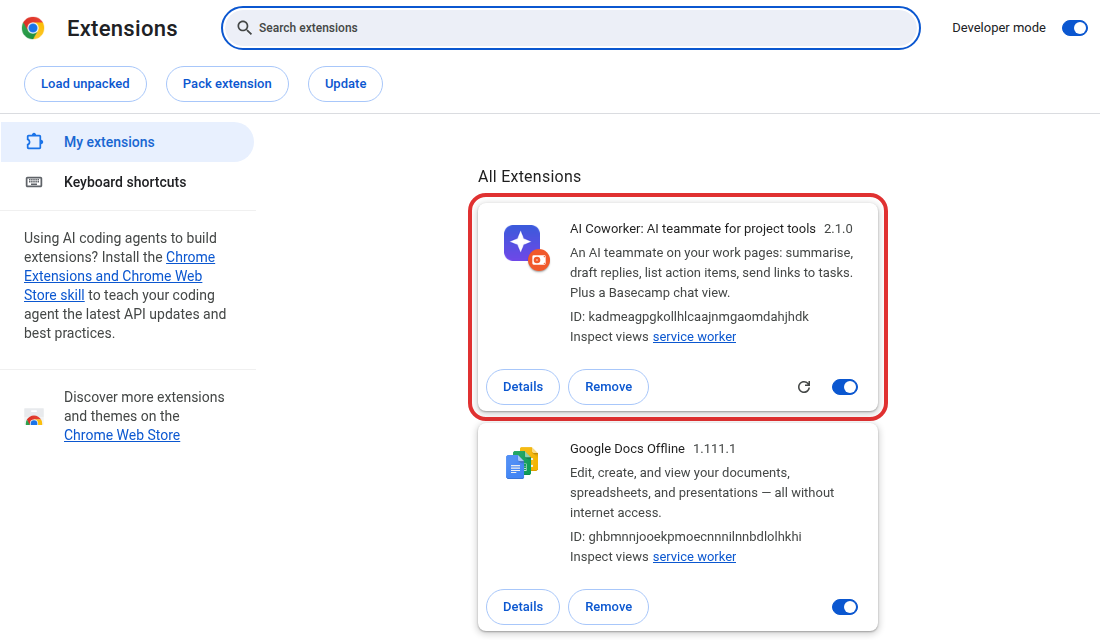
Already installed it? Reload this page and this step ticks.
- Unzip the file you downloaded (double-click it). You get a folder named
-
2
Create your free account
✓ ConnectedEmail and a password, or one click with Google. The extension receives your account by itself: nothing to copy or paste.
Your account is ready. Now add the extension (step 1). As soon as it is installed it opens this page again and signs in by itself. Already installed? Reload this page.
-
3
Open your project tool
Pick the tool you use. It opens in a new tab, and AI Coworker shows its setup card there by itself: it reads your tasks and suggests what to connect (Google Drive for Docs and Sheets, GitHub for website and code changes, or your own AI key). Everything there is optional.
BasecampChat view + AI TrelloChat view + AI (beta) JiraChat view + AI (beta) AsanaChat view + AI (beta) ClickUpChat view with your token + AI (beta) MondayChat view with your token + AI (beta) NotionAI on every page LinearAI on every page WrikeAI on every page SmartsheetAI on every page AirtableAI on every page Zoho ProjectsAI on every page TeamworkAI on every page Microsoft PlannerAI on every page What each tool getsVideos, steps and prices Live demoTry it without installingYour plan, AI tasks left today and usage: your account. Plans: free 3 AI tasks · own AI key free · Starter 5 USD a month (5 a day) · Pro 20 USD a month (20 a day): pricing.
By creating an account you agree to the terms and the privacy policy.